BlackCortex Lite +
A downloadable tool for Windows
BlackCortex Lite+
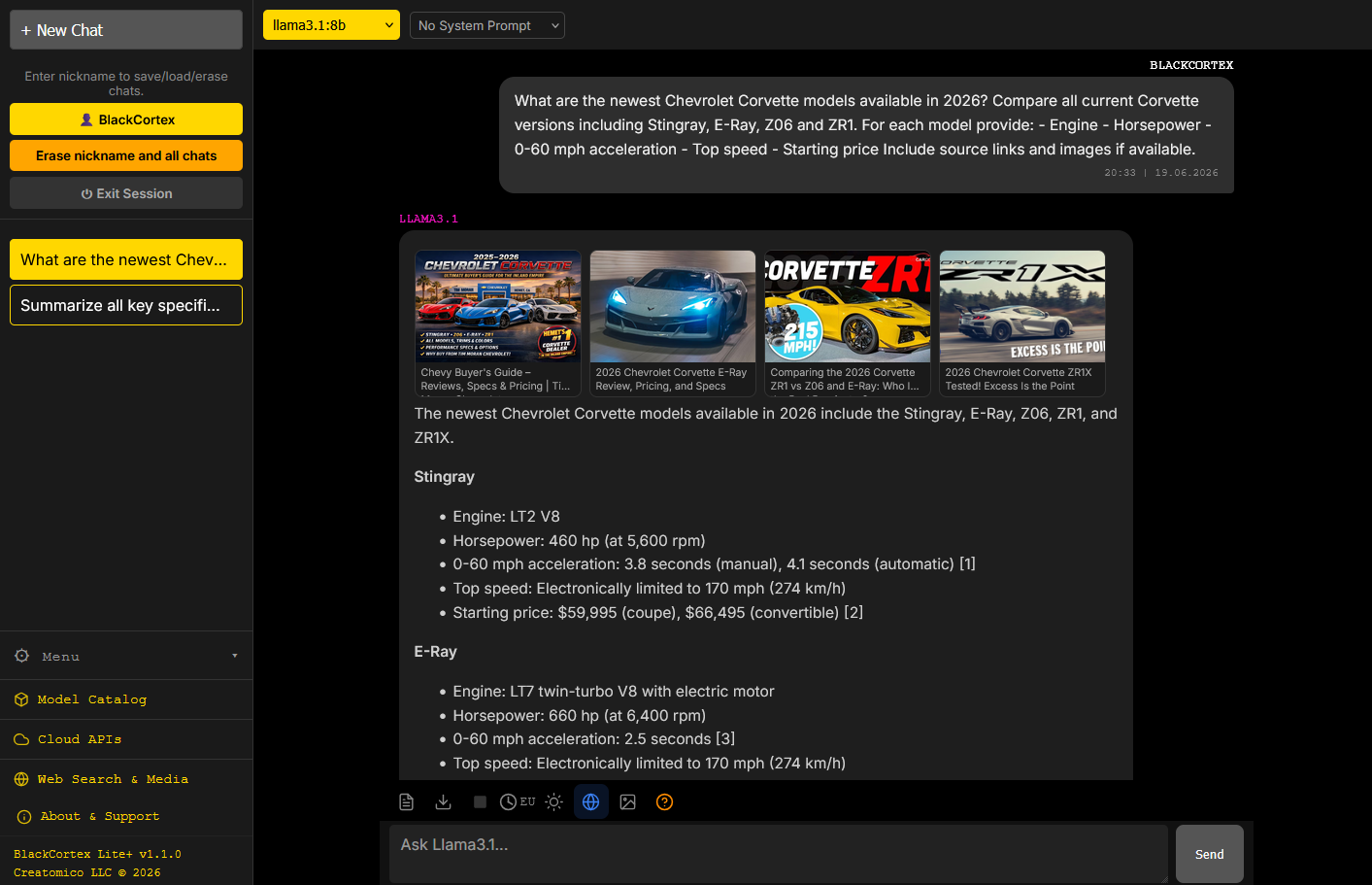
A private, local-first AI workspace. Run local models, connect cloud AI providers, chat with documents, search the web, and generate images — all from one clean interface, all on your own machine.
No cloud lock-in. No subscriptions required. Your chats and documents stay on your hardware unless you choose otherwise.
Launch the exe, open a browser, and everyone on your home network can use it immediately — no install needed on their devices.
⚠ Designed for trusted home networks only. Not recommended for public or corporate deployment — no SSL encryption, no role-based access control, no audit logging.
Features
- 🧠 Local AI — run models locally and fully offline, powered by Ollama
- 🖥️ Remote Ollama — keep the GPU box in another room and chat from a laptop; point the app at any machine on your network
- 👥 Multi-user — each person gets their own chat history and settings
- 🌐 LAN access — anyone on the network connects via browser
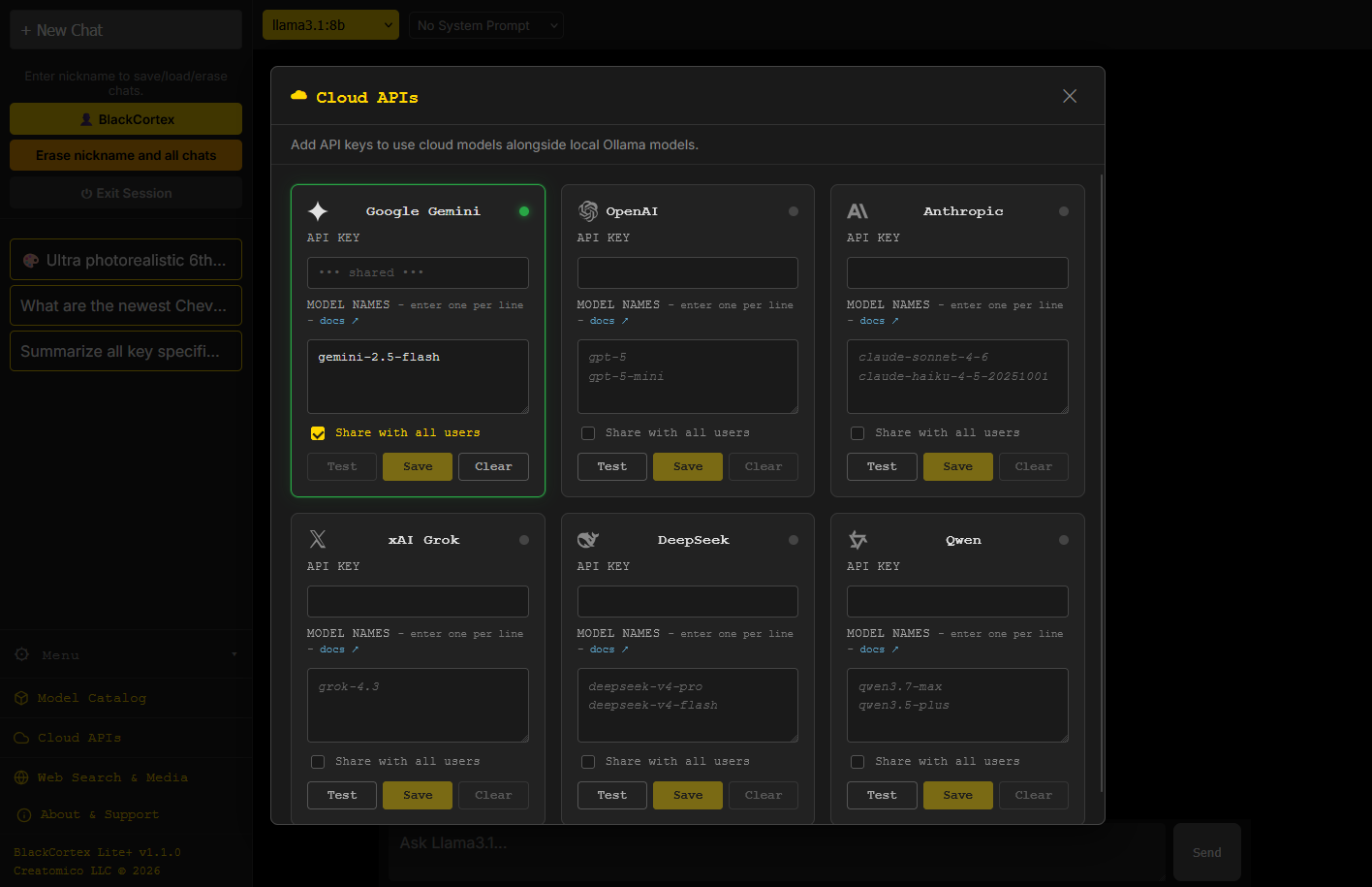
- ☁️ Cloud Providers — Google Gemini, OpenAI, Anthropic Claude, xAI Grok, DeepSeek, and Qwen — connect with your own API key
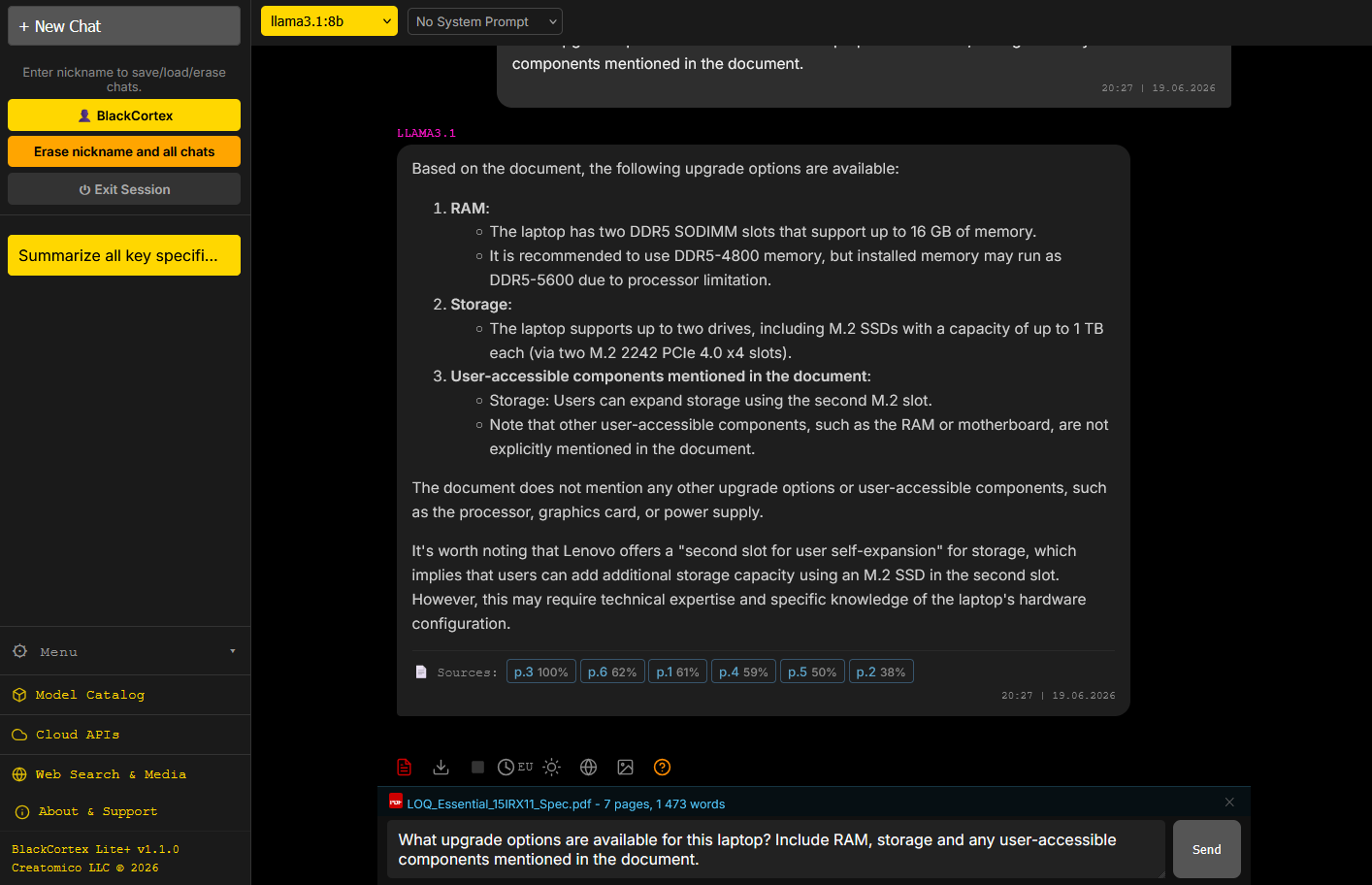
- 📄 RAG Document Chat — PDF, DOCX, XLSX, PPTX, TXT, CSV with hybrid search, up to 50 MB
- 📁 Documents that stay — your uploads are kept in a per-user folder, and the source-page links keep working after a restart. Open a week-old chat, click a page, and it opens straight into the document
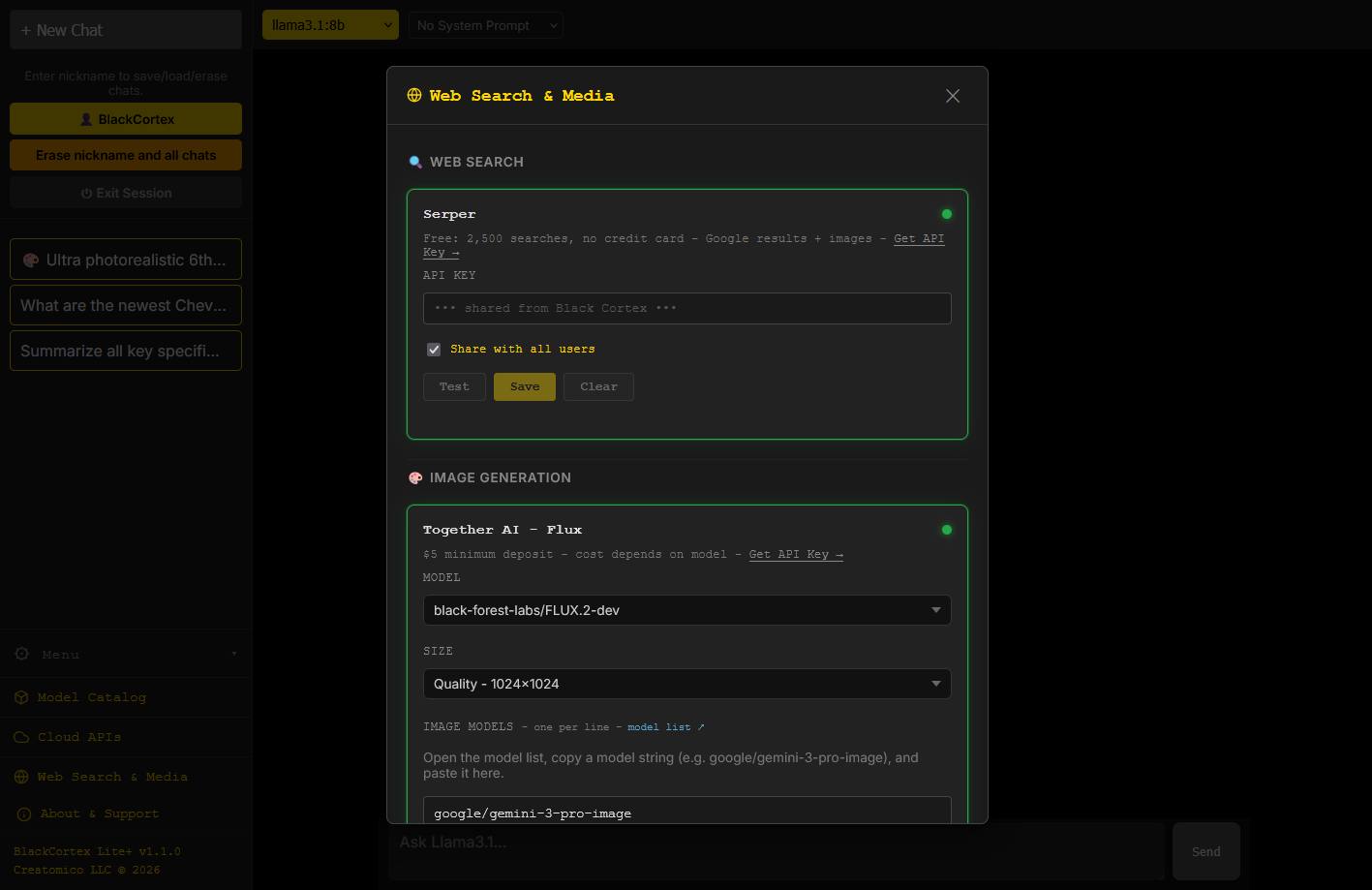
- 🔎 Web Search — give your models live, up-to-date information
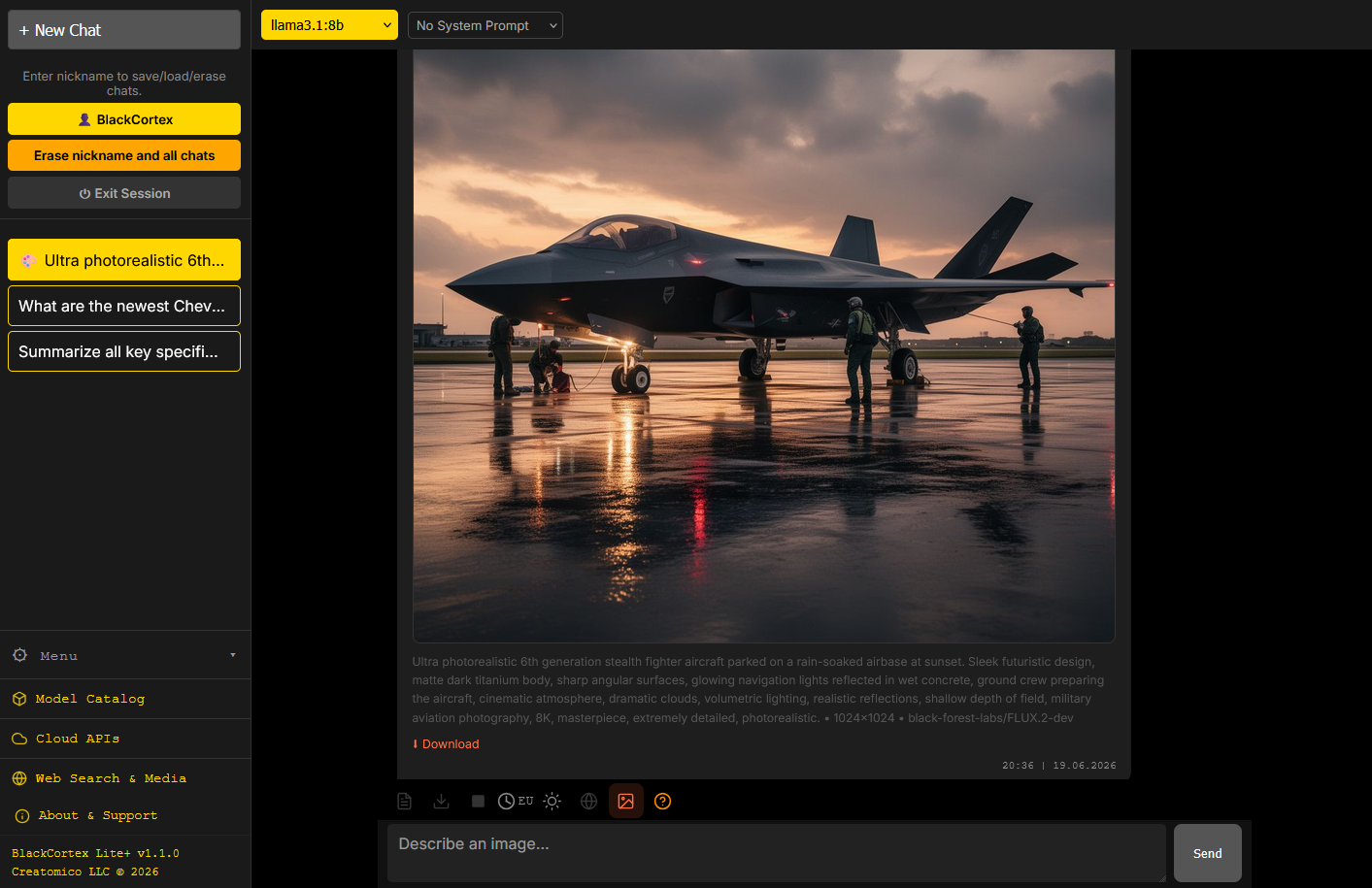
- 🖼️ Image Generation — use your preferred Together AI image models
- 🎤 Voice input — dictate messages on mobile and desktop
- 🎭 Custom Persona — give your AI a name and personality
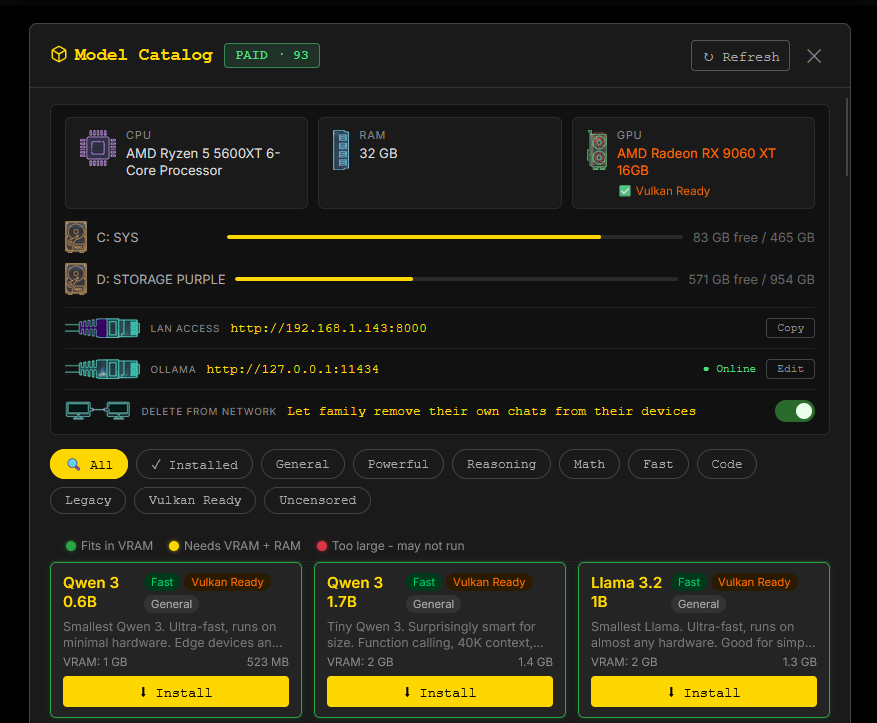
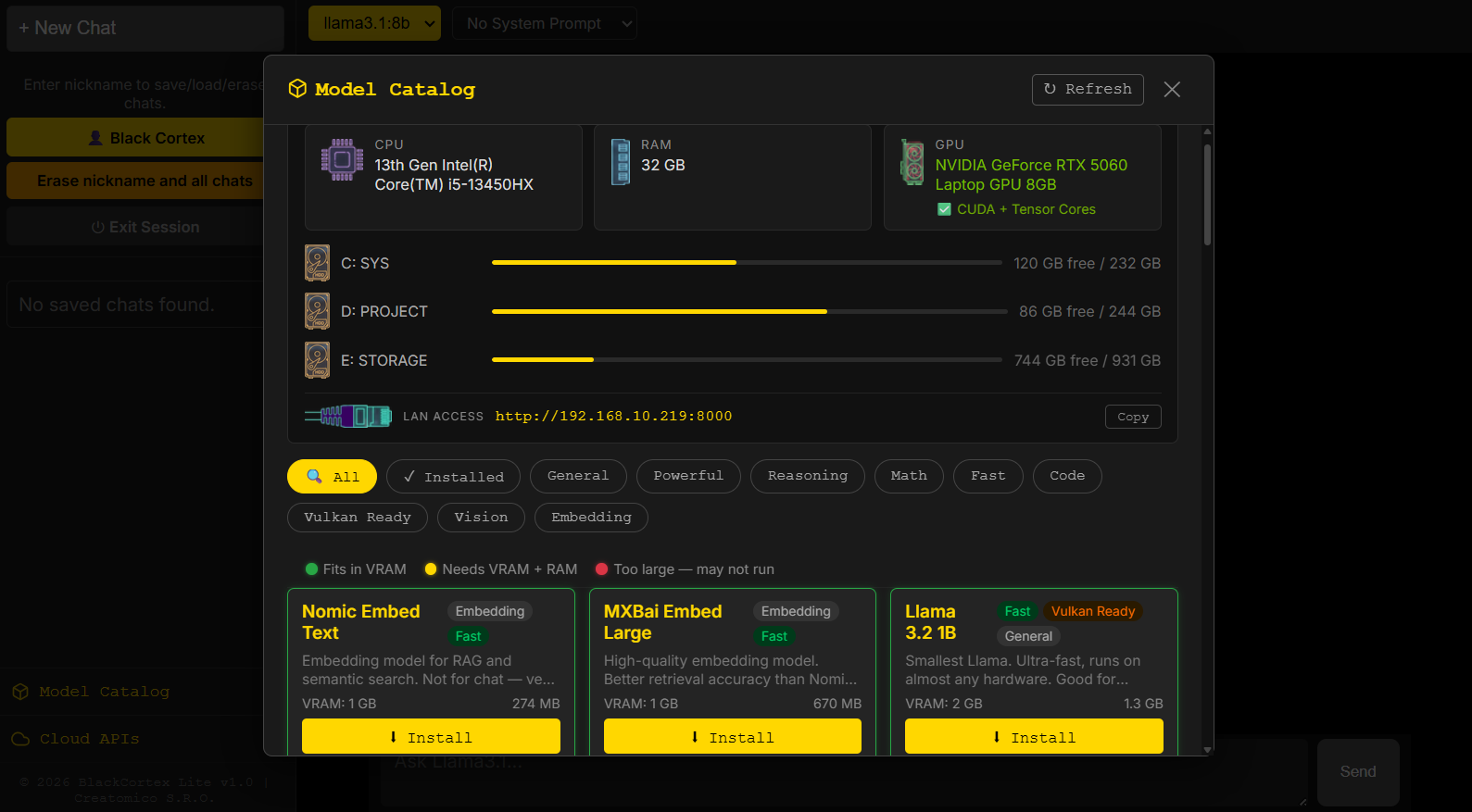
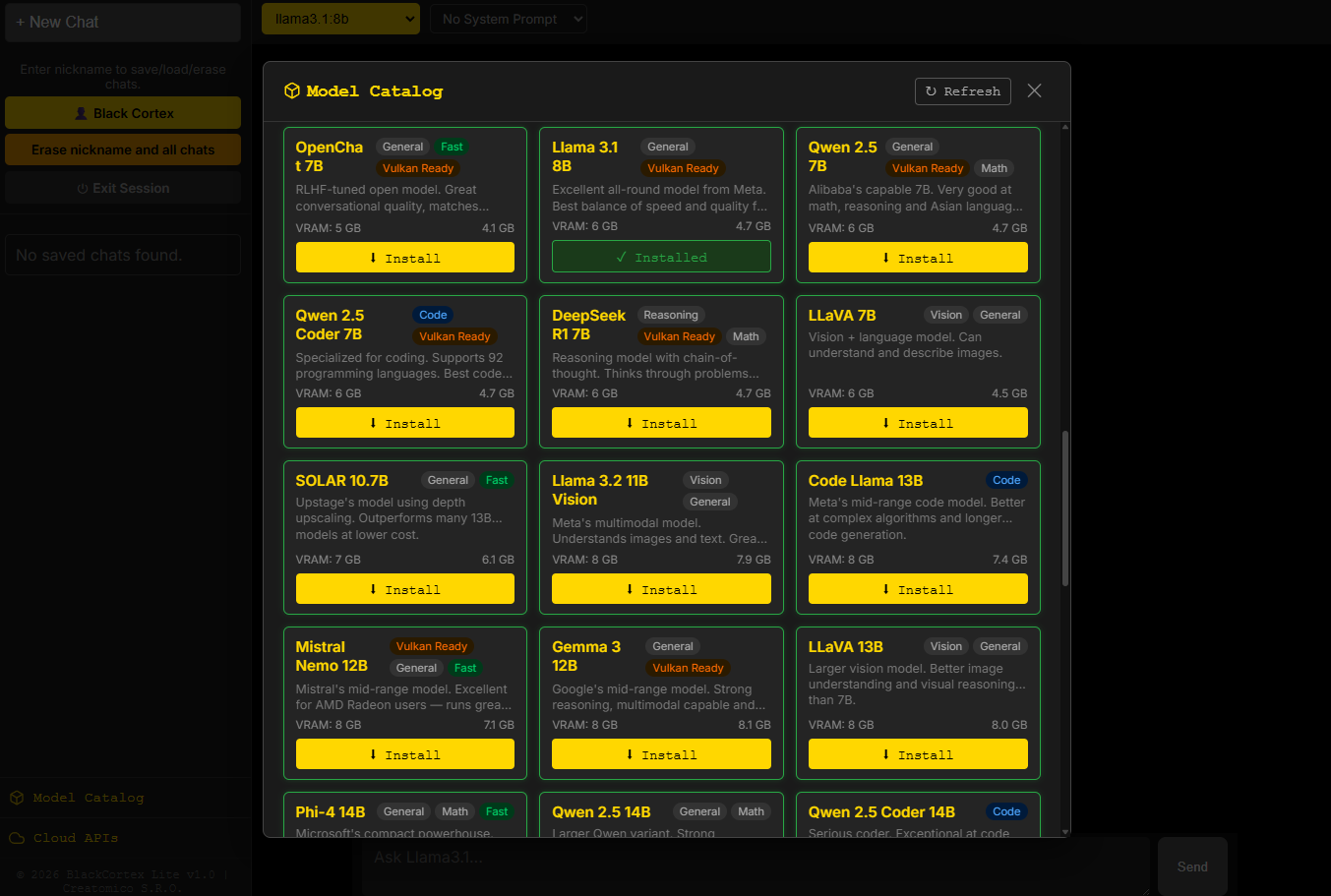
- 🔒 Signed catalog & PIN-protected model management — the model catalog is cryptographically verified, and installing or removing models requires the PIN, on this machine and over the network alike
- 🏠 Your house, your rules — a simple switch decides whether family members can delete their own chats from their own devices, or only from the main computer
- 🔒 Private by default — chats and documents stay on your machine; nothing is sent anywhere unless you enable a cloud provider
- 🌙 Dark UI — gold accent, built for extended use
Hardware Support
- ✅ NVIDIA — native CUDA
- ✅ AMD Radeon RX 5000+ — Vulkan backend
- ✅ CPU only — slower but works
- ⚠️ Intel Arc — via the Vulkan backend or a native SYCL build. (Intel archived its IPEX-LLM fork in January 2026 — guides that lead with it are out of date.)
Free vs Supporter
The free version is fully functional — not crippled. It includes a curated free-tier catalog of 12 hardware-laddered models, document chat, web search, and all 6 cloud providers with your own keys.
Supporting the project (optional, $29/year) unlocks the extended catalog of curated, tested models — including uncensored models across the full hardware ladder — plus twice-monthly catalog updates and priority fixes.
Requirements
- Windows 10 / 11
- Ollama installed and running
Note
Windows SmartScreen may show a warning on first launch — click More info → Run anyway. This is expected for unsigned applications.
Download
BlackCortex Lite+ v1.1.3.zip — 29 MB
Install instructions
- Download and install Ollama from ollama.com
- Run:
ollama serve - Extract the zip and launch BlackCortex-Lite.exe
- Browser opens automatically at
http://localhost:8000 - Set a nickname, pick a model from the catalog, and start chatting
AMD GPU: set OLLAMA_VULKAN=1 before running ollama serve
Intel Arc: set OLLAMA_VULKAN=1 as well, or use a native SYCL build
Download
Install instructions
1. Download and install Ollama from ollama.com
2. Run: ollama serve
3. Extract the zip and launch BlackCortex-Lite.exe
4. Browser opens automatically at http://localhost:8000
Windows SmartScreen may warn about unknown publisher — click More info → Run anyway. This is expected for unsigned applications.
AMD GPU: set OLLAMA_VULKAN=1 before running ollama serve
Leave a comment
Log in with itch.io to leave a comment.